
Generate thisPlayer:
var tp = thisPlayer({
    container: '#player-container',
    resources: '/your-folder/your-video.mp4'
});
Then log it and you'll see properties like below:
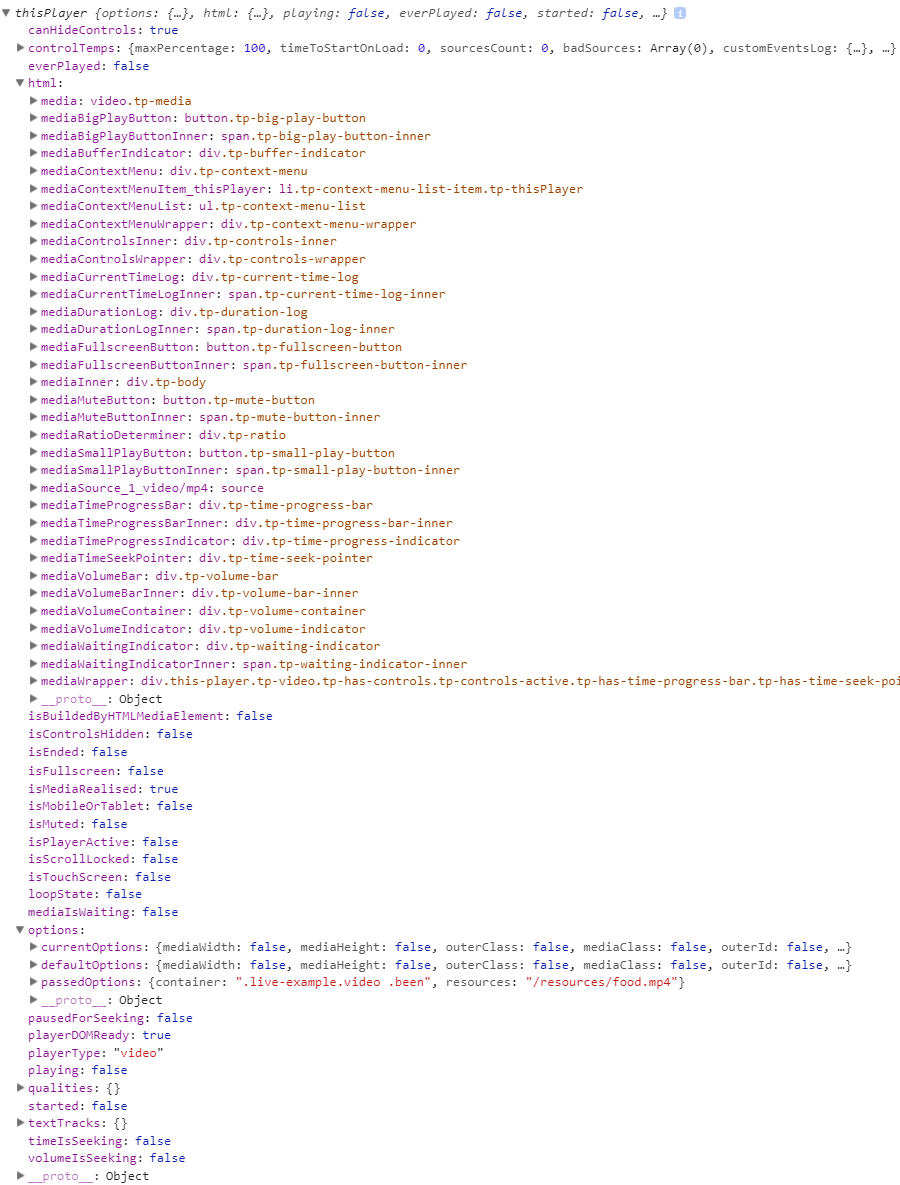
Public properties are really useful when you're working with this player. So take a look on list of public properties with descriptions below::
canHideControlsIt becomes false when it is unable to auto hide player controls bar, for example when time or volume is seeking or so. Otherwise it is true.
everPlayedIt specifies whether player have ever played or not. true if it have and false id have not.
htmlthis property is an object and contains all HTML elements which are used for building of thisPlayer.
isBuiltByHTMLMediaElementIt says whether is the player generated from regular media (<video> or <audio>) element or its generated by JavaScript setup. It is true when it is generated by HTML media element, otherwise it is false.
isControlsHiddenIt is true when player controls bar is hidden, otherwise it is false.
isEndedWhether is playback ended or not. It becomes true when playback is ended, otherwise it stays false.
isFullscreenIt says if player is in fullscreen mode and becomes true. If player is not in fullscreen mode its value is false.
isMediaRealisedIt is false when media file/files are broken or can not play for some reason. In case of multiple qualities if for several quality this property is false player starts realising of another quality mode. Property is true when everything is ok with media files.
isMobileOrTabletIts value is true when player is generated on mobile or tablet device. Otherwise value is false.
isMutedWhether player is muted or not. true means that its muted, false - it is not muted.
isPlayerActiveIf you click/touch over player it becomes active, if you click/touch outside of player it becomes not active. This property says player is active when value is true, or is not active when value is false.
isScrollLockedFor some reasons when you're seeking media or time, player disables scrolling of the page. This property says when scrolling is disabled/enabled. true - scrolling disabled, false, scrolling is enabled.
isTouchScreenIt says if current device has touch screen. true if is touch screen, false if it is not.
loopStateSays what state of playback loop is it. if it is true it means that there is enabled loop forever. if it is number then it shows loops countdown, and if value is false then there is not loop enabled.
mediaIsWaitingWhen player is loading/waiting the value is true. Otherwise value is false.
optionsThis property value is an object and it specifies all options: default options, passed options, current options - which is an merged object by default and passed options.
pausedForSeekingProperty is true when player is paused because time is seeking. Otherwise value is false.
playerDOMReadyValue of this property is true when player skin is generated with no errors. In case of any markup/events error it becomes false.
playerTypeSays type of the player. is it video or audio.
playingProperty value is true when player is playing. if its paused or ended or something else - value is false.
qualitiesProperty value is an object and it contains information about different qualities if available. If not value is an empty object.
startedValue is true if playback is started, false if it is not.
textTracksProperty value is an object and it contains everything about text tracks if exists, if not value is an empty object.
timeIsSeekingProperty value is true when playback is seeking, false when it is not seeking.
volumeIsSeekingValue is true when media volume is seeking, false when volume is not seeking.